



VIN parts selection module
Frequently asked questions about connecting Business Reactor Click to open answers about demo access and subscription +
Here are short answers to the main questions before starting a demo or connecting the system.
How quickly is the system activated after a request? +
During working hours, activation usually takes from 2 to 3 hours.
This applies both to demo access and to a paid subscription.
How quickly will I get access to the 7-day demo? +
After the request is confirmed, demo access is usually opened within 2–3 hours during working time.
If the request is left in the evening or on a weekend, activation moves to the next working period.
When are requests processed and the system launched? +
Requests are processed from Monday to Friday, from 9:00 to 19:00.
Demo access and the working subscription are activated during this time.
Do I need to prepare anything complicated in advance? +
No. At the start, no complex technical preparation is required.
We prepare access and help you go through the first launch in a clear way.
Do you help with the first launch and orientation in the system? +
Yes. If needed, we connect a manager and help you start without confusion.
This is useful if you want to understand the system logic faster and see the main working points.
What happens after the subscription is paid? +
After payment is confirmed, the system is also launched within an average of 2–3 hours during working time.
After that, you receive access and can start working without a long wait.


 ApplePay
 payment on account
 In cash
The VIN selection module helps a manager identify a vehicle and find the required OEM position without switching between catalogs and business applications. Business Reactor provides a clear path from VIN to part: vehicle, categories and assemblies, diagram, and OEM number. The selected position can then be checked in AutoParts against internal stock, suppliers, cross-references, and alternatives.
What the VIN module does
- decodes a VIN and identifies a supported vehicle;
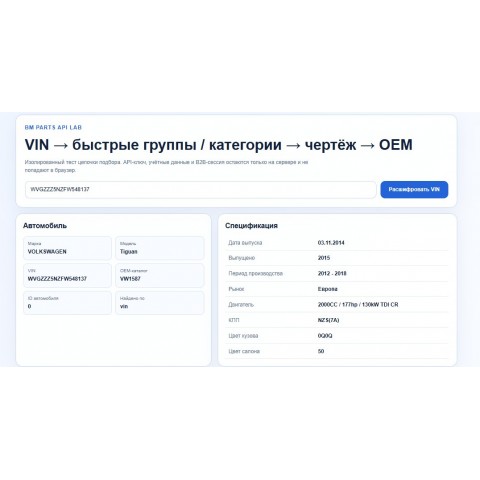
- shows the make, model, and available configuration details;
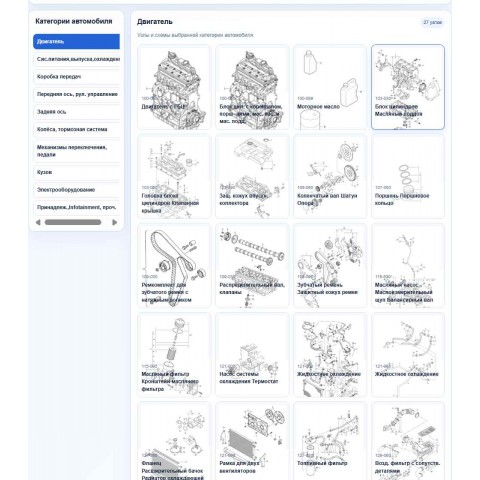
- opens quick service groups or the full vehicle category tree;
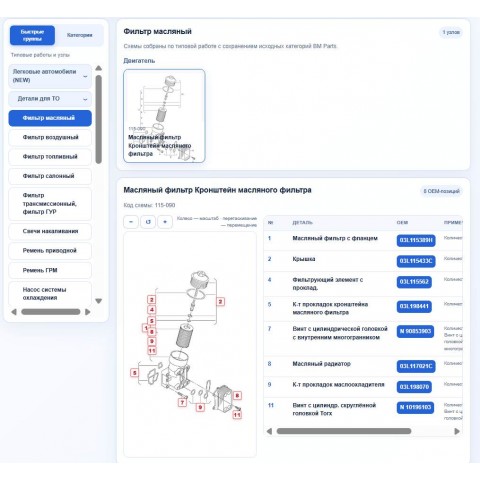
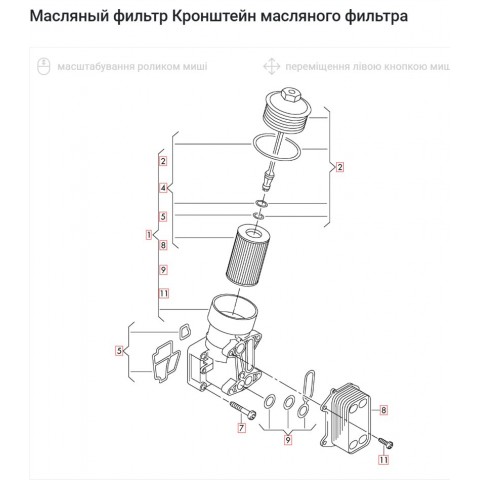
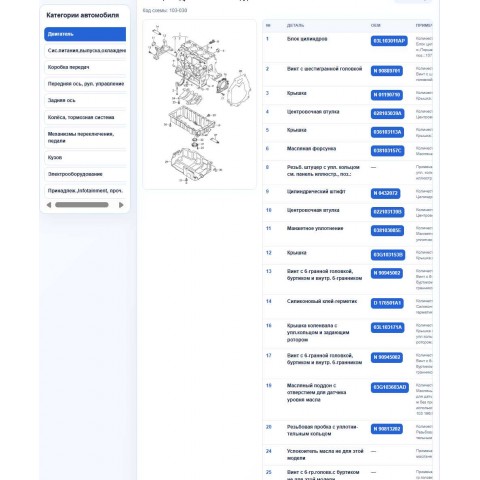
- displays assemblies and exploded diagrams;
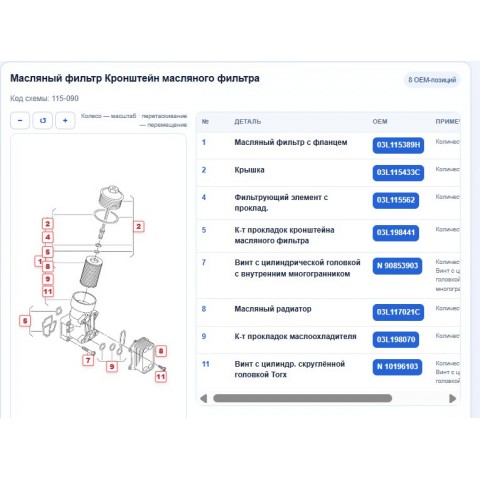
- links diagram positions to part names and OEM numbers;
- passes the selected number into the Business Reactor product workflow.
How selection works
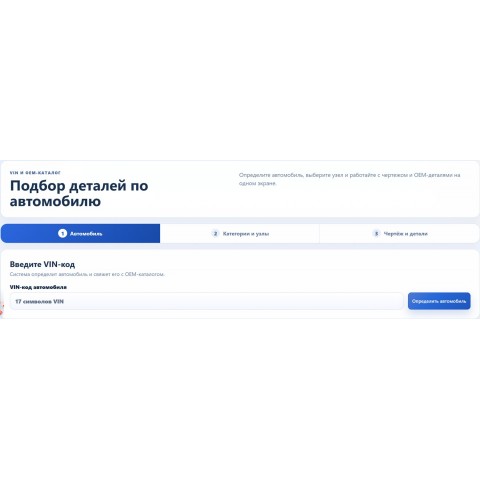
- Vehicle. The manager enters a 17-character VIN. The system identifies the vehicle and connects it to the available OEM catalog.
- Category and assembly. The manager can use quick groups for common service work or browse engine, transmission, chassis, body, and electrical sections.
- Diagram and parts. A position is selected on the diagram, providing the part name and OEM number for verification and ordering.
Vehicle data before the search
Depending on the connected data source, the module can show make, model, production date, model year, production period, market, engine, gearbox, and other available details. The manager sees which vehicle is being used before selecting a part, reducing the risk of working with the wrong variant.
Quick groups and full assembly catalog
Common requests do not require browsing a long category tree. Quick groups lead to filters, belts, spark plugs, and other frequent service items. Complex repairs can use the full vehicle structure with categories, assemblies, and every available diagram in the selected section.
Diagrams and OEM numbers on one screen
An exploded diagram shows how parts relate to each other. Each callout is connected to a table row, part name, and OEM code. This helps explain the choice, verify assembly completeness, and avoid confusing similar parts.
Connection with AutoParts
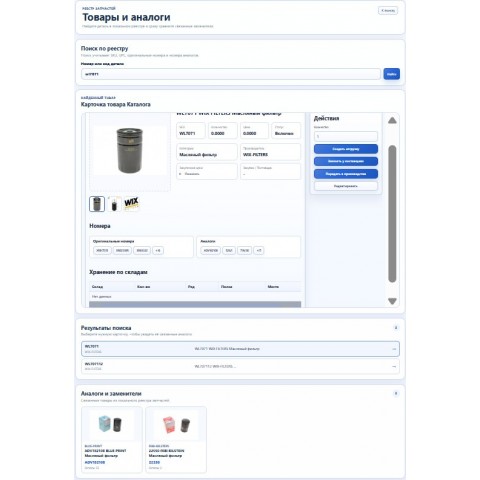
The VIN module identifies the vehicle and produces an OEM number. AutoParts continues from that result by searching a registry of millions of parts and displaying original numbers, cross-references, alternatives, photos, internal inventory, and offers from connected suppliers. The manager stays in one workflow instead of checking the same number manually across several systems and warehouses.
Business benefits
- faster answers about compatibility and available options;
- fewer errors from manually copying OEM numbers;
- lower risk of returns caused by selecting the wrong vehicle variant;
- less time from customer request to order or repair job;
- a consistent selection process for the entire team;
- orders, customers, products, and inventory movement remain in Business Reactor.
For parts stores, workshops, and dismantlers
Parts stores give managers a fast route to the correct OEM number. Workshops use the result in repairs and work orders. Vehicle dismantlers use VIN and OEM data as a reference for identifying assemblies and maintaining their own records with actual condition and storage location.
Data accuracy and security
Available details and vehicle coverage depend on the connected OEM data source. The module reduces selection risk while keeping the final decision with the manager. With server-side configuration, API keys, credentials, and B2B sessions remain outside the user’s browser.
Getting started
Connect an OEM data source, configure employee permissions, and link VIN selection to AutoParts when required. Managers can then move from a customer VIN to the part number, availability, and order in one interface.
There are no reviews for this product, be the first to leave your review.
No questions about this product, be the first and ask your question.