

CRM for an auto parts store must do more than save a phone number and a sales stage. The demanding work happens inside the enquiry: identify the vehicle, locate the correct part, verify the OEM number, offer a cross-reference or alternative, compare own stock with supplier offers, agree a delivery time and create the order without entering the same data again.
When those operations live in separate applications, staff switch between screens and copy part numbers, prices and customer details by hand. An auto parts business therefore needs more than an isolated CRM. It needs an industry-specific CRM/ERP flow in which the customer history is connected to the catalogue, inventory, purchasing and fulfilment.
Start with the path of a real customer enquiry
Before comparing feature lists, describe one typical order from the first contact to collection or delivery. This reveals where the system must preserve context and where manual gaps occur.
- The salesperson finds the customer and vehicle or creates new records.
- The required item is identified by VIN, OEM number or a known part number.
- Original parts, cross-references, alternatives, images and compatibility are checked.
- Own available stock is compared with connected supplier offers.
- Brand, price, lead time and delivery method are agreed.
- An order is created, own stock is reserved or a purchase is raised.
- Payment, picking, dispatch, returns and the final result are controlled.
If one stage sits outside this flow, staff return to chats, notes and supplier tabs. Management sees the final turnover but cannot explain why an enquiry was lost or delayed.
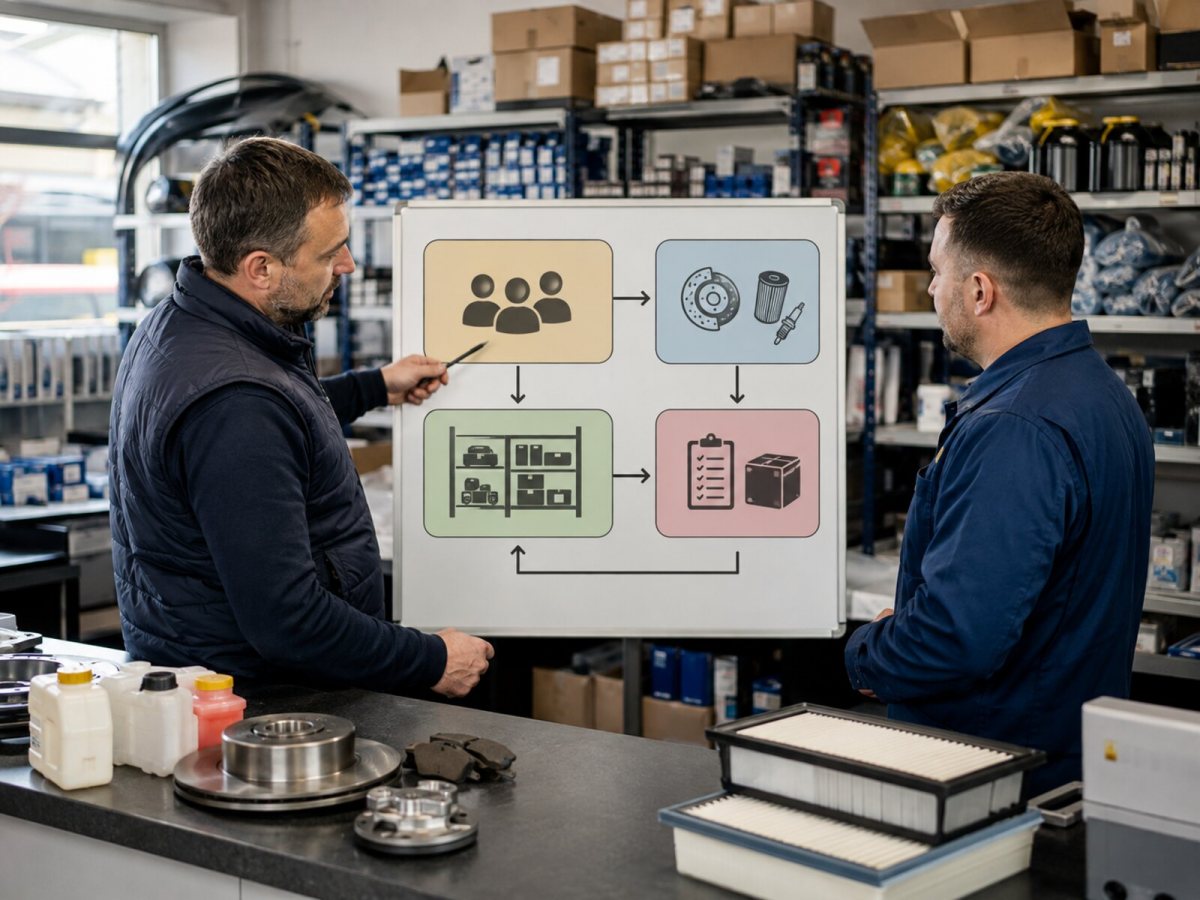
The operating blocks an auto parts store actually needs
| Block | What it must provide | Loss it prevents |
|---|---|---|
| Customer and vehicle | Contacts, vehicles, VINs, enquiries and purchases | Collecting the same information repeatedly |
| Automotive catalogue | OEM numbers, crosses, alternatives, images and product links | Part-number mistakes and false no-stock answers |
| Warehouse and suppliers | Own stock, locations and external offers | Selling unavailable goods and repeated checks |
| Order | Lines, price, reservation, purchasing, payment and issue | Lost agreements and duplicate orders |
| Control | Lost-sale reasons, response time, margin and returns | Managing by turnover alone |
Why a general CRM is often not enough
A general CRM records enquiries, tasks and communications well. It normally does not know that one part number can be connected with several brands, that supplier availability is not the same as stock you own, or that a reservation must reduce availability in every other sales channel.
| Approach | Main strength | Limitation for auto parts |
|---|---|---|
| General CRM | Customers, opportunities, tasks and communication | Selection and product operations remain outside |
| Warehouse software | Stock, movements and documents | Does not retain the full enquiry and vehicle context |
| Separate electronic catalogue | OEM search and application data | The result has to be copied into the order |
| Industry CRM/ERP | Connects customer, vehicle, product, stock and fulfilment | Requires clear rules and responsibilities |
The objective is not to eliminate specialist data sources. It is to make the selected result continue through the same process as a quotation line, reservation, customer order, purchase or return.
Test the catalogue logic before buying
An attractive name search does not prove that a system can handle automotive parts. Ask for a search by original number, alternative number and supplier code. Then confirm that staff can see linked replacements, manufacturer, images and available offers without creating the same physical part several times.
Clarify the distinction between a product record and a supplier offer. One oil filter should not become ten separate products simply because it appears in ten supplier files. Prices, quantities and sources should be connected to a common product entity.
Do not mix owned stock with supplier availability
An item in your own warehouse can be reserved and issued through an internal process. A supplier offer is potential availability, dependent on the last update, lead time and confirmation. The system should separate these states both logically and visually.
| Check | The right question | Expected result |
|---|---|---|
| Availability | What can we sell immediately? | Free own stock is shown separately |
| Reservation | What has already been promised? | Reserved quantity reduces availability |
| Supplier | When were price and quantity updated? | Source and freshness are visible |
| Purchasing | What was ordered for this customer? | The purchase is linked to the originating order |
| Return | Can the item be sold again? | Availability returns only after inspection |
Questions to ask a system provider
- Can one customer have several vehicles and a complete enquiry history?
- Does selection work by VIN, assembly, diagram and OEM number?
- How are cross-references and alternatives from different manufacturers stored?
- Are owned stock and supplier offers clearly separated?
- How are supplier files, prices and quantities refreshed?
- What happens when the same part is imported again?
- Can stock be reserved directly from a customer order?
- Are customer order, purchase, payment and return connected?
- Can management see actions and reasons for lost sales?
- How are salesperson, warehouse and owner permissions separated?
Run a pilot with genuine cases
Do not judge the system by a prepared demonstration record. Use real enquiries: an exact OEM number, VIN selection, an unavailable original with a suitable alternative, an item in your warehouse, a supplier order and a return. A member of staff should complete every case without copying a part number between unrelated windows.
Record response time, manual actions, the alternatives found and any errors. The pilot should demonstrate the team's ability to complete a sale and retain a clear history, not merely the number of available buttons.
What the complete industry flow looks like
In a complete setup, CRM holds the customer and agreements, VIN selection identifies the vehicle and OEM item, AutoParts continues the search through the registry, crosses and alternatives, while stock and order functions record availability, reservations, purchasing and issue. Each component has a defined role, but the data does not stop between them.
See this architecture in the ready-made solution for auto parts stores. The AutoParts module provides the registry, OEM numbers, crosses, alternatives, images, stock and supplier offers, while the VIN module adds precise vehicle identification.
Choosing CRM/ERP for an auto parts store means testing one continuous process. If the system connects the customer's enquiry, vehicle, part, availability and fulfilment, it removes genuine operational gaps. If it connects only a phone number and an opportunity stage, the core complexity of the business still sits outside it.