

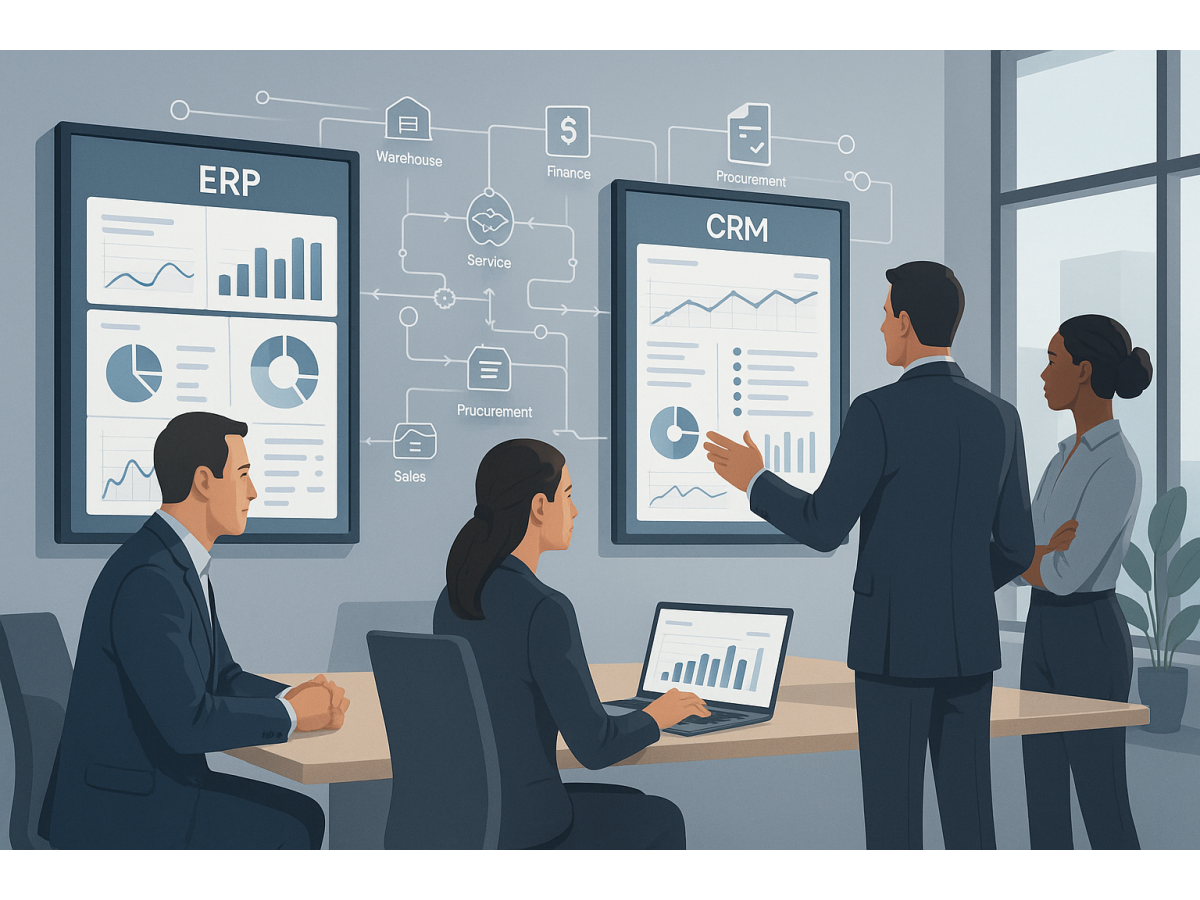
When sales, warehouse operations, finance, and customer management live in separate spreadsheets and disconnected tools, managers only see fragments of the business. That slows decision-making, creates errors, and makes growth harder to control. ERP and CRM integration helps bring these processes into one manageable system where data does not need to be duplicated and teams can work in sync.
Why disconnected systems become a business problem
Many companies grow step by step. At first, spreadsheets, messaging apps, a basic accounting tool, and a standalone CRM may seem sufficient. But as order volume, staff, suppliers, and financial operations increase, that model starts to break down. Information becomes inconsistent across departments, and each team works from its own version of reality.
Typical consequences include:
- sales managers cannot see accurate stock levels or delivery timing;
- finance receives operational data too late;
- management has no single real-time reporting view;
- orders require manual clarification between departments;
- the same data is entered and corrected in multiple systems.
This is not just an inconvenience. Fragmented data directly affects margin, service quality, and management speed.
What ERP and CRM integration delivers in practice
CRM usually manages leads, opportunities, customer communication, account history, and sales activity. ERP typically covers operational processes such as purchasing, inventory, order fulfilment, finance, documents, production, or service execution. When both systems work together, the company gains a unified management environment.
That means customer data, order information, payment status, shipment progress, and profitability indicators are no longer spread across isolated tools. Data moves through the process automatically instead of being manually passed through files, chats, and emails.
Key business effects of an integrated approach
- faster decisions based on current and consistent data;
- less manual work and fewer transfer errors;
- better process visibility for owners and executives;
- stronger coordination between sales, procurement, warehouse, and finance;
- clearer control over profitability by customer, product, or business line.
How it works in trade and distribution
In a trading company, CRM may track inquiries, deals, customer history, and quotations, while ERP manages stock, reservations, purchasing, prices, shipments, and settlements. Without integration, sales teams often sell with incomplete information and have to confirm key details through calls or internal messages.
After integration, the sales manager can see the operational context that matters: available stock, order status, payment history, customer debt, or credit limits. This helps the company not only close deals faster, but also do so with fewer operational surprises.
For example, a customer requests urgent shipment. In a disconnected model, sales promises a date and only later learns that part of the stock is already reserved. In an integrated environment, reservations and available inventory are visible immediately, reducing the risk of incorrect commitments.
What changes in manufacturing and service companies
For manufacturing businesses, integration matters beyond the sales stage. It helps connect demand, planning, materials, execution, and financial results. If a customer order is captured in CRM and then triggers relevant actions in ERP, the company gains better control over deadlines, resources, and production priorities.
In service businesses, the same principle applies. A request registered in CRM can move into ERP or a service module as a task, work order, invoice, or completion document. Management can then see not only the number of requests but also execution quality, team workload, time spent, and service profitability.
Examples of useful process links
- a won opportunity in CRM creates an order in ERP without duplicate entry;
- payment confirmation automatically updates the fulfilment status;
- shipment information returns to the customer record for the account manager;
- a service request is linked to contract terms, billing, and actual costs;
- management can follow the full chain from first contact to profit.
Why integration matters for finance and management reporting
One of the most common management issues is the delay between an operational event and its appearance in reporting. When information is manually collected from different sources, executives get a late or incomplete picture. In practice, this means decisions are made based on yesterday’s data rather than the current situation.
ERP and CRM integration makes management reporting more timely and reliable. A business can see:
- which customers generate the most revenue and margin;
- where delays occur between sale and payment;
- how warehouse or production workload is changing;
- which managers move deals efficiently and where conversion is lost;
- how operational mistakes affect financial outcomes.
This is especially valuable for companies that depend on fast inventory turnover, debtor control, and better cash flow planning.
Manual management versus an integrated model
Signs of a manual operating model
- data is stored in spreadsheets, chat threads, and local files;
- employees enter the same information several times;
- reports are assembled at the end of the week or month;
- errors are discovered after customer complaints or financial discrepancies;
- growth requires more administrative effort rather than better control.
Signs of an integrated operating model
- data is entered once and used across multiple processes;
- order, payment, and execution statuses update automatically;
- management sees one operational picture instead of isolated fragments;
- deviations are visible before they become major problems;
- the business can scale without proportionally increasing chaos.
What to consider before implementation
Integration by itself will not solve process problems if the business has not defined clear operating rules. If departments interpret order statuses differently or use inconsistent reference data, automation may simply transfer confusion into a faster digital environment.
Before implementation, it is worth answering several questions:
- which processes are most critical to synchronise first;
- where manual work and errors are most frequent;
- which statuses and master data must be standardised;
- what management reports are needed daily or weekly;
- who is responsible for data quality in each area.
Common implementation mistakes
- trying to automate everything at once without priorities;
- designing integration around exceptions rather than standard flow;
- excluding department managers from process definition;
- failing to define measurable targets for the project;
- underestimating user training and data discipline.
How businesses should start
The best starting point is not a list of features but a list of business problems. For example: order processing is too slow, management cannot see true profitability, sales is not aligned with warehouse operations, or the service team lacks transparency. Once the business problem is defined correctly, it becomes easier to identify which CRM and ERP connections will create the greatest impact.
A practical starting plan
- map 3 to 5 key processes from lead or order to cash;
- identify where data is duplicated or transferred manually;
- agree on common statuses, master data, and responsibilities;
- launch core integration for the most critical flows first;
- build management reports that show whether the changes work.
This approach reduces the risk of a costly implementation that looks digital on paper but delivers little management value in reality.
Conclusion
ERP and CRM integration is not simply a technical connection between two systems. For business leaders, it is a way to move from fragmented management to a unified operating logic in which sales, operations, finance, and service are connected. That is what creates faster decisions, fewer mistakes, and stronger control over profitability.
If your company already feels overloaded by spreadsheets, manual reconciliations, and slow reporting, the first step does not have to be a massive transformation programme. Start by reviewing core processes and identifying where data breaks between teams. In many cases, ERP and CRM integration becomes the first practical move toward a more controlled and scalable business.